Click the game once it starts to give it your keyboardKeyboard needed · Progress saves in this browser
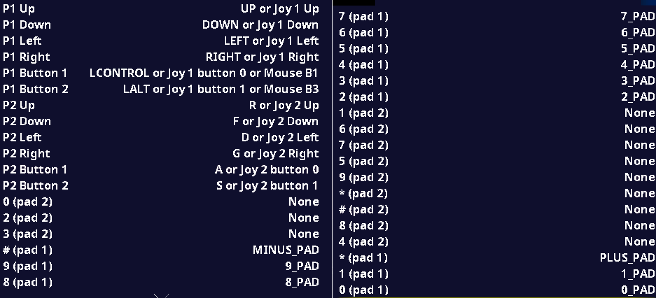
ColecoVision is mapped to use the number keypad on a full keyboard. If you don't have access to a keypad, you can press the TAB key and there is a menu that has options to change settings including remapping the keys. The default key mapping is in the chart bellow:
Threshold
Back to game page and tipsControls
Each game uses different controls, Games can a combination of mouse,keyboard and Joystick.
Your progress saves in this browser, the same way it does today.