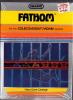
Fathom


Fathom Description
Neptina, Neptune's daughter, has been imprisoned at the bottom of the sea by Titans. Your goal is to rescue her by locating the scattered pieces of a magical trident! You will need to take the form of a dolphin and a bird in order to locate the pieces that are hidden in the ocean and clouds. When flying in the air, there are several screens that have clouds flying by. Touch all of the clouds, and the trident piece appears! Other birds which are flying around will cause you to lose energy if you touch them accidentally. Underwater, trident pieces can be found by touching the sea horses. Octopuses, sharks, and a deadly maze of seaweed will get in your way and cause you to lose energy if caught! When you have located all of the trident pieces, the cage holding Neptina can be unlocked, but if you run out of energy first the game will be over.
How to play Fathom
Each game uses different controls, Games can a combination of mouse,keyboard and Joystick.
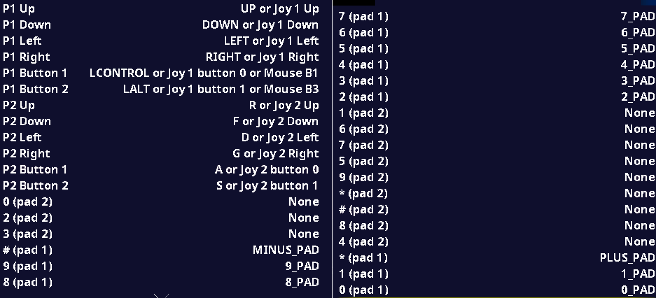
ColecoVision is mapped to use the number keypad on a full keyboard. If you don't have access to a keypad, you can press the TAB key and there is a menu that has options to change settings including remapping the keys. The default key mapping is in the chart bellow: