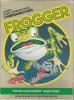
Frogger




- PC Booter Frogger
- Commodore 64 Frogger (Sierra)
- Commodore 64 Frogger (Parker Brothers)
- Commodore 64 Frogger 64
- Atari 2600 Frogger
- Apple II Frogger (Sega)
- Apple II Frogger (Online Systems)
- Arcade Frogger
Frogger Description
Your task in this arcade game is to guide a frog across a treacherous road and river, and to safety at the top of the screen. Both these sections are fraught with a variety of hazards, each of which will kill the frog and cost you a life if contact is made.
The road is full of cars and trucks, at variable speeds. The river water itself is fatal, as are the snakes which hover within on later levels. Frogger must use the arrangement of logs, turtles (which are only there for a short time) and alligators (but stay away from their faces), and then jump into one of the open home-cells, ideally one containing a fly for extra points. Once all holes have been filled, you move onto the next, harder, level.
How to play Frogger
Each game uses different controls, Games can a combination of mouse,keyboard and Joystick.
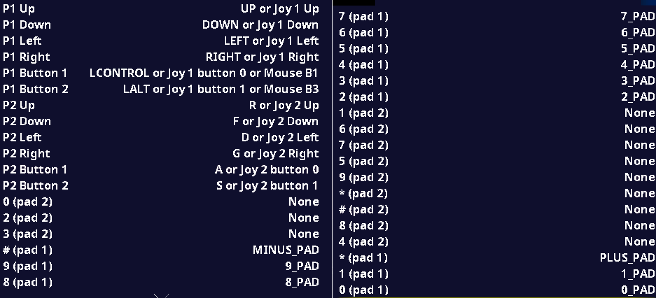
ColecoVision is mapped to use the number keypad on a full keyboard. If you don't have access to a keypad, you can press the TAB key and there is a menu that has options to change settings including remapping the keys. The default key mapping is in the chart bellow: